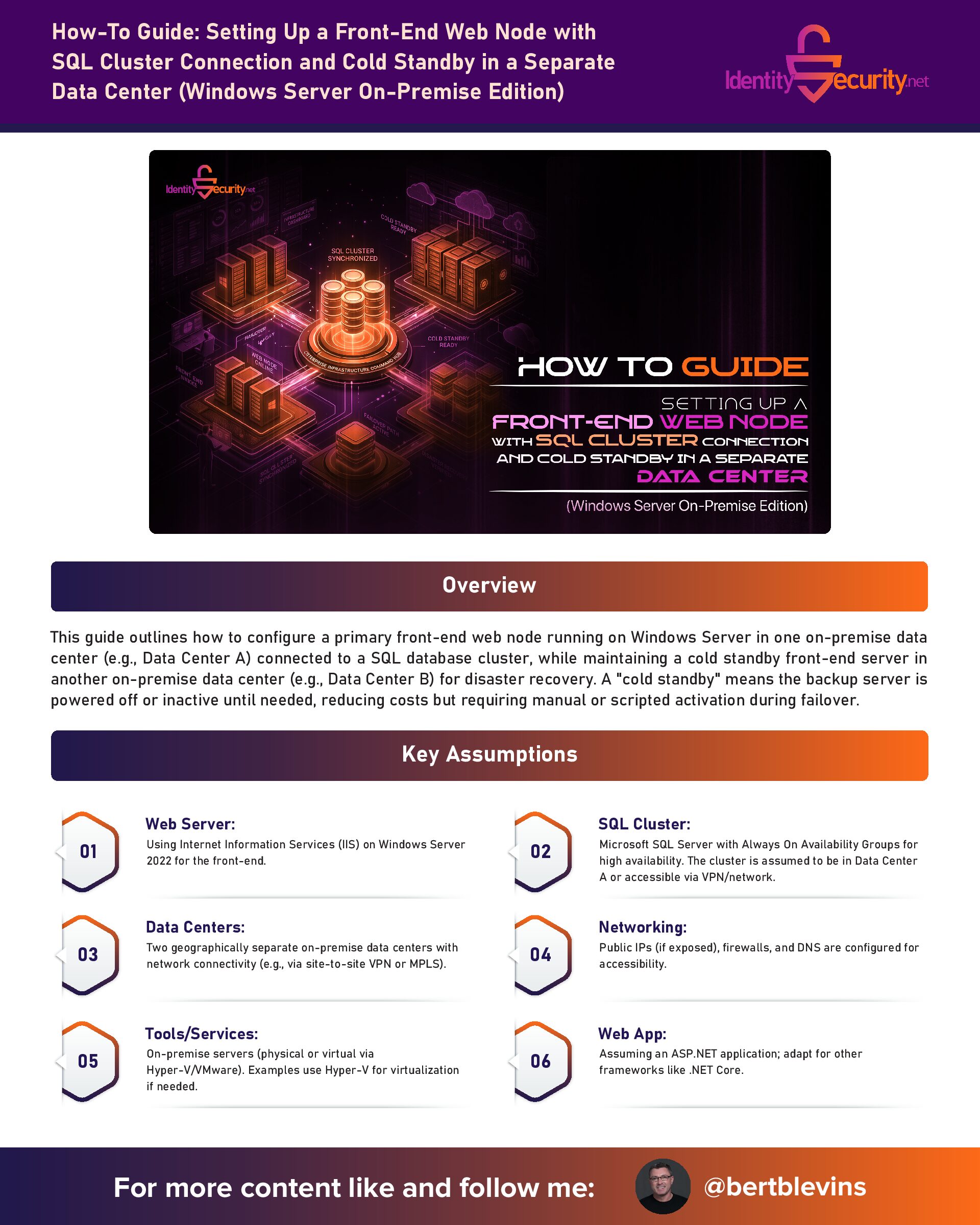
How-To Guide: Setting Up a Front-End Web Node with SQL Cluster Connection and Cold Standby in a Separate Data Center (Windows Server On-Premise Edition)
This guide outlines how to configure a primary front-end web node running on Windows Server in one on-premise data center (e.g., Data Center A) connected to a SQL database cluster, while maintaining a cold standby front-end server in another on-premise data center (e.g., Data Center B) for disaster recovery. A “cold standby” means the backup server is powered off or inactive until needed, reducing costs but requiring manual or scripted activation during failover.
Key Assumptions
- Web Server: Using Internet Information Services (IIS) on Windows Server 2022 for the front-end.
- SQL Cluster: Microsoft SQL Server with Always On Availability Groups for high availability. The cluster is assumed to be in Data Center A or accessible via VPN/network.
- Data Centers: Two geographically separate on-premise data centers with network connectivity (e.g., via site-to-site VPN or MPLS).
- Networking: Public IPs (if exposed), firewalls, and DNS are configured for accessibility.
- Tools/Services: On-premise servers (physical or virtual via Hyper-V/VMware). Examples use Hyper-V for virtualization if needed.
- Web App: Assuming an ASP.NET application; adapt for other frameworks like .NET Core.
- Backup Strategy: Data replication via snapshots or backups; no real-time syncing for cold standby to keep it "cold."
- Security: Implement SSL/TLS, firewalls, and access controls (not detailed here; consult best practices).
This setup ensures business continuity with minimal downtime during failover.
Prerequisites
1. Hardware/Servers:
- Primary Web Node: Windows Server 2022 machine in Data Center A (physical or Hyper-V VM).
- Cold Standby Web Node: Identical machine in Data Center B, powered off.
- SQL Cluster: At least two SQL Server machines in an Always On Availability Group (on-premise).
2. Networking:
- Site-to-site VPN or dedicated link between data centers.
- DNS records for the web app (e.g., app.example.com pointing to primary IP; use internal DNS server for failover).
- Firewall rules allowing traffic: HTTP/HTTPS (ports 80/443) to web nodes, SQL (port 1433) from web nodes to cluster.
3. Software:
- Web app code/deployed on both nodes (e.g., an ASP.NET app).
- Backup tools: Windows Server Backup, Robocopy, or third-party like Veeam.
- Monitoring: Tools like System Center Operations Manager (SCOM), Nagios, or Zabbix for alerts.
- .NET Framework or .NET Core runtime installed.
4. Accounts/Permissions:
- Admin access to servers and SQL cluster.
- SQL credentials for the web app.
- Remote management tools like RDP, PowerShell Remoting, or IPMI for hardware control.
Step 1: Set Up the Primary Front-End Web Node in Data Center A
1. Provision the Server:
- Install Windows Server 2022 on the physical machine or create a Hyper-V VM.
- Assign a static IP.
- Enable Remote Desktop (RDP) for access.
2. Install IIS:
- Open Server Manager > Dashboard > Manage > Add Roles and Features.
- Select "Web Server (IIS)" role, including default features plus ASP.NET (under Application Development).
- Complete the installation and restart if prompted.
3. Deploy Web Application:
- Copy your ASP.NET app files to C:\inetpub\wwwroot\ (or a custom site path) via file share or RDP.
- For a new app: Use Visual Studio to publish, or zip and extract via File Explorer.
- Configure the app pool in IIS Manager: Open IIS Manager > Application Pools > Add or edit pool for your site, set .NET CLR version as needed.
4. Configure IIS Site:
- In IIS Manager, right-click Sites > Add Website.
- Set Name: e.g., "MyApp", Physical path: C:\inetpub\wwwroot\MyApp, Binding: Port 80, Host name: app.example.com.
- Start the site.
5. Test Locally:
- Browse to http://localhost or the server IP in a browser on the machine.
- Ensure the app loads.
Step 2: Connect the Front-End Web Node to the SQL Cluster
1. Set Up SQL Cluster (If Not Already Done):
- Install SQL Server on cluster nodes and configure Always On Availability Groups using SQL Server Management Studio (SSMS).
- Add databases to the group with primary/secondary replicas.
- Note the listener name (e.g., sql-cluster-listener.example.com) and port (1433).
2. Install SQL Client on Web Node:
- SQL Server Native Client or ODBC Driver is typically included with Windows/SQL tools.
- For .NET apps: Ensure System.Data.SqlClient is referenced in your project.
3. Configure Connection in Web App:
- In your app's config file (e.g., web.config for ASP.NET):
- Update app code to use this connection string for queries (e.g., via SqlConnection in C#).
4. Test Connection:
- Use SSMS on the web node: Connect to the listener and run a query like SELECT @@VERSION.
- In your app, add a test endpoint or log to verify SQL access.
Step 3: Set Up the Cold Standby Front-End Server in Data Center B
1. Provision the Standby Server:
- Install Windows Server 2022 on an identical machine in Data Center B.
- Assign a separate static IP.
- Power it off after initial setup to keep it "cold" (use hardware power switch or IPMI).
2. Mirror the Primary Configuration:
- RDP into the standby (while powered on temporarily).
- Install IIS and features as in Step 1.
- Copy web app files: Use Robocopy from primary (e.g., robocopy \\primary-server\C$\inetpub\wwwroot C:\inetpub\wwwroot /MIR) over the network.
- Configure IIS site identically.
- Update app config to point to the same SQL listener (assuming accessibility via VPN).
3. Backup and Replication Strategy:
- Schedule periodic backups of web app files/databases using Windows Server Backup or Robocopy to a shared network drive or NAS.
- For SQL: Use Always On for intra-cluster HA; for cross-DC, use database backups or log shipping to a file share.
- Script to restore on standby: e.g., a PowerShell script to copy latest backup from network share and apply (use Restore-SqlDatabase cmdlet).
4. Power Off Standby:
- Once configured and tested, shut down the server: Use shutdown /s /t 0 or hardware controls.
Step 4: Implement Failover Process
1. Detect Failure:
- Use monitoring tools to alert on primary failure (e.g., HTTP checks fail).
2. Activate Standby:
- Power on the standby server via hardware (e.g., IPMI, iLO) or on-site personnel.
- If needed, restore latest backups: Run your PowerShell restore script (e.g., copy from network share using Copy-Item, then IIS reset with iisreset).
- Update DNS: Point app.example.com to standby IP (update DNS server records; use low TTL for quick propagation).
- Test access: Verify the app is live on the new IP.
3. Failback (Optional):
- Once primary is recovered, reverse the process: Backup from standby, restore to primary, update DNS back.
Additional Tips
- Automation: Use PowerShell scripting or Desired State Configuration (DSC) for consistent setups.
- High Availability Enhancements: For warmer standby, consider replication tools like DFS-R, but this would make it "warm" instead of cold.
- Testing: Regularly test failover in a non-production environment.
- Costs: Cold standby minimizes power/hardware costs; ensure off-site backups for data integrity.
If you encounter issues or need specifics for your app stack, provide more details!